
Internship & Work at KING Art Games
About the Company
- founded in 2000
- 100+ Employees
- released Iron Harvest in 2020, became very successful
- known for Adventure and RTS Games
- located in Bremen, Germany
- https://kingart-games.com/
Project
The project I worked on is their biggest of the currently developed projects. It is an RTS game that is still unannounced and could be considered a AA or AAA game. For the project we were working in Unity with C#.
Work
- started in April 2023 as a Coder Working Student
- working 20 hours / week
- implemented a Bug Reporter that allows users to report a bug in game and then create and send a ticket to our in-house project planning solution through an application that I created as well
- working on UI/UX related tasks
- created a chat window for multiplayer
- focused a lot on further tool development and improvements
- further performance optimization, e.g. Collider Combining, Greedy Meshing
- working on improving and extending existing tools like our Level Editor and Custom Scene Loader
- troubleshooting and debugging
- integration of a newly developed feature from our graphics engineer
Internship
- September 2022 - February 2023
- full-time (40 hours / week)
- developing editor tools
- performance optimization e.g. Culling Groups, LOD, HLOD, GPU Instancing, Scene Baking, Collider Combining
- testing and evaluating different optimization methods
- visualization of our navigation system
- debug visualization for other systems in-game and in editor through custom debug gizmos
- research and initial implementation of Unity's Entity Component System (ESC) for further performance improvements
Tools
Here you can find some images of selected Tools I have
created during my time at KING Art Games
Bug Reporter
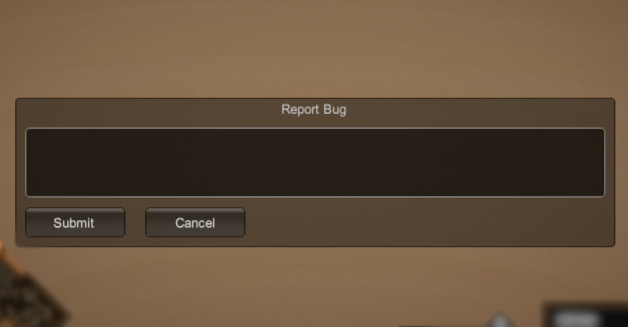
Ingame you can report a bug by pressing 'F12'. You can enter a short summary of the issue and then submit it. The bug reporter will collect all the important information and files in a folder.
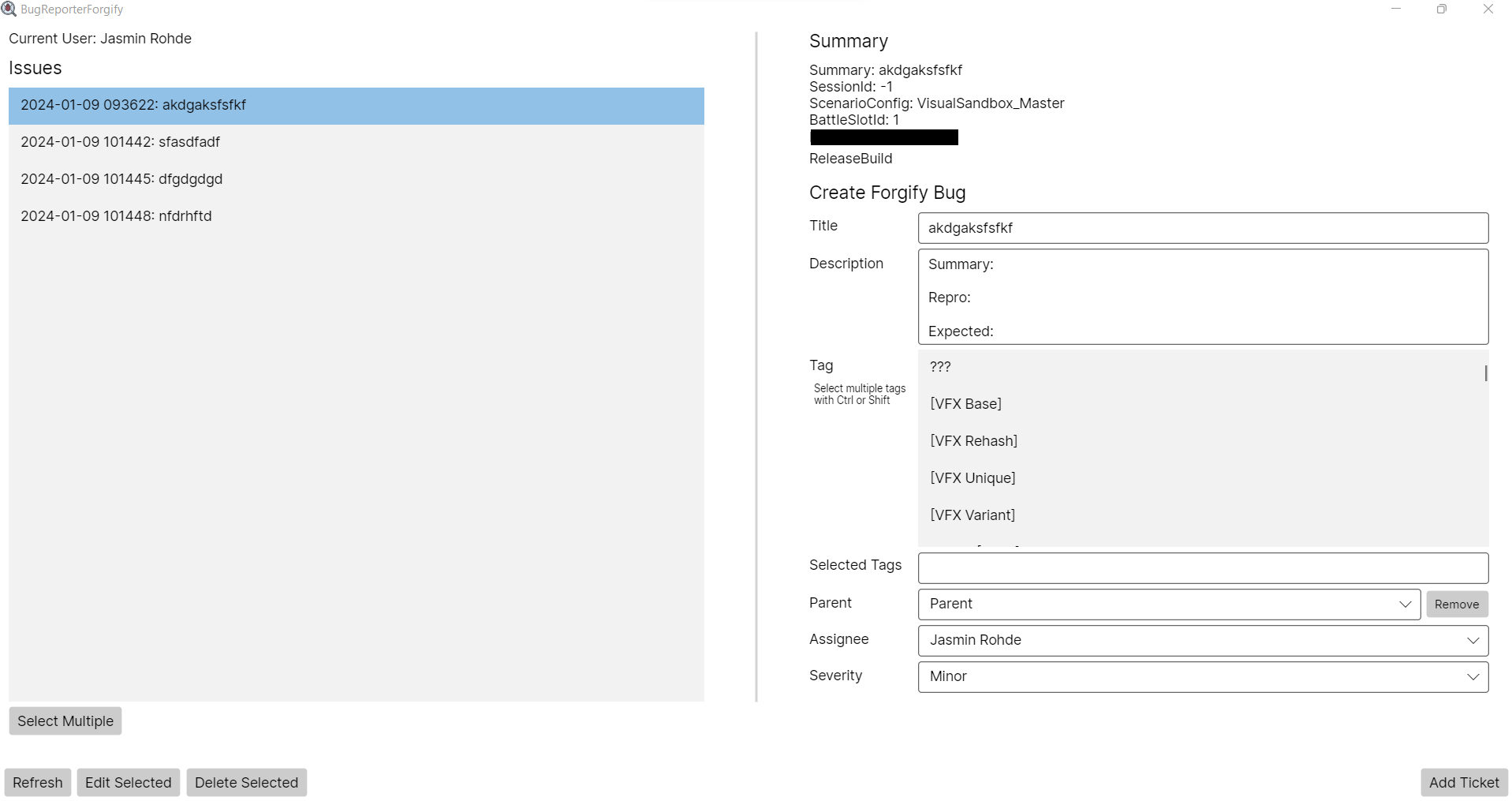
In the Bug Reporter application you can find all of your created bugs. Here you can create a ticket for our in-house project-tracking software. All relevant files and information will be attached to the ticket automatically.
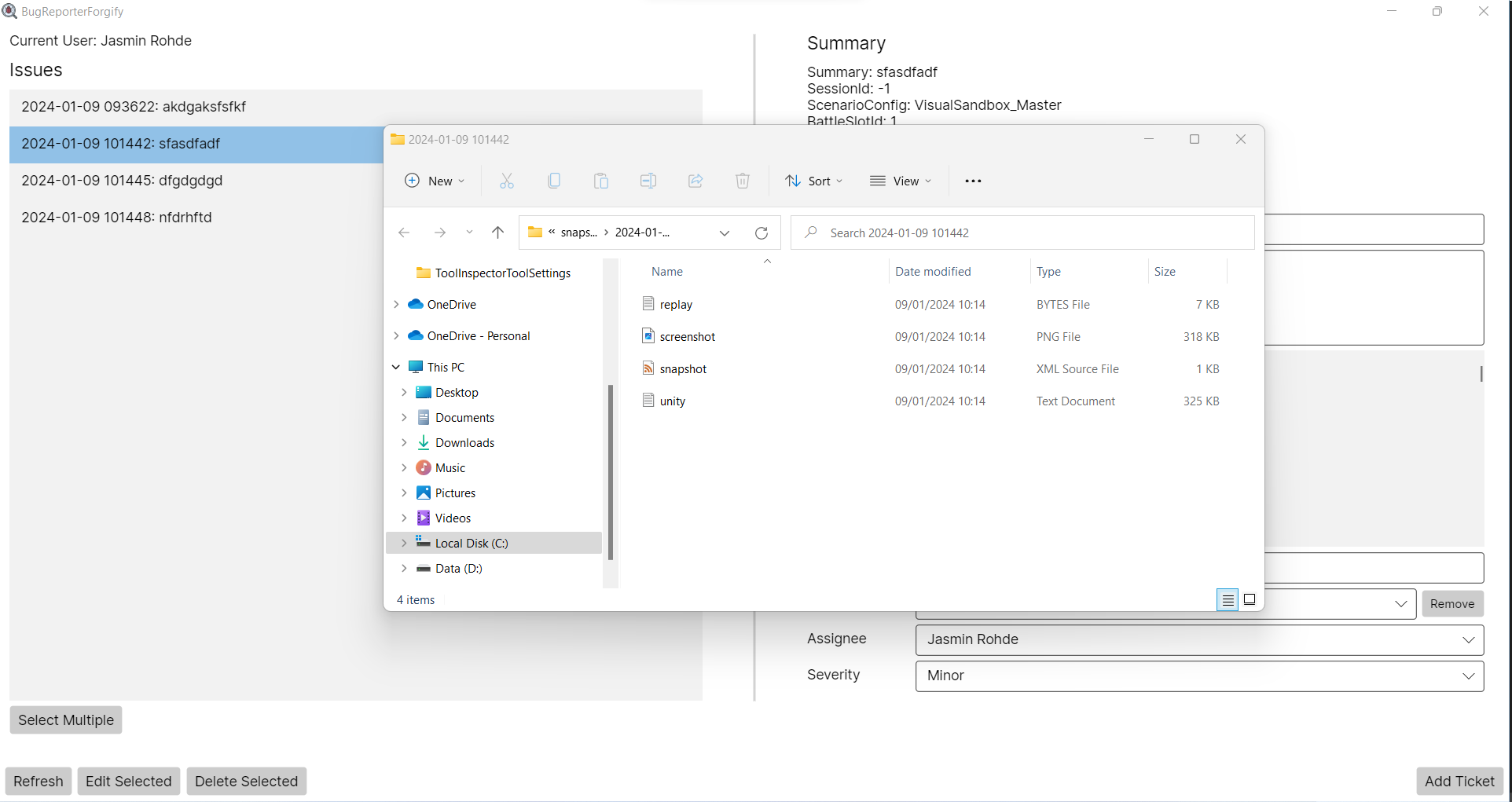
You can open the corresponding folder with the collected information for each created bug. It will have e.g. a screenshot, a snapshot of the game state, log files, etc.
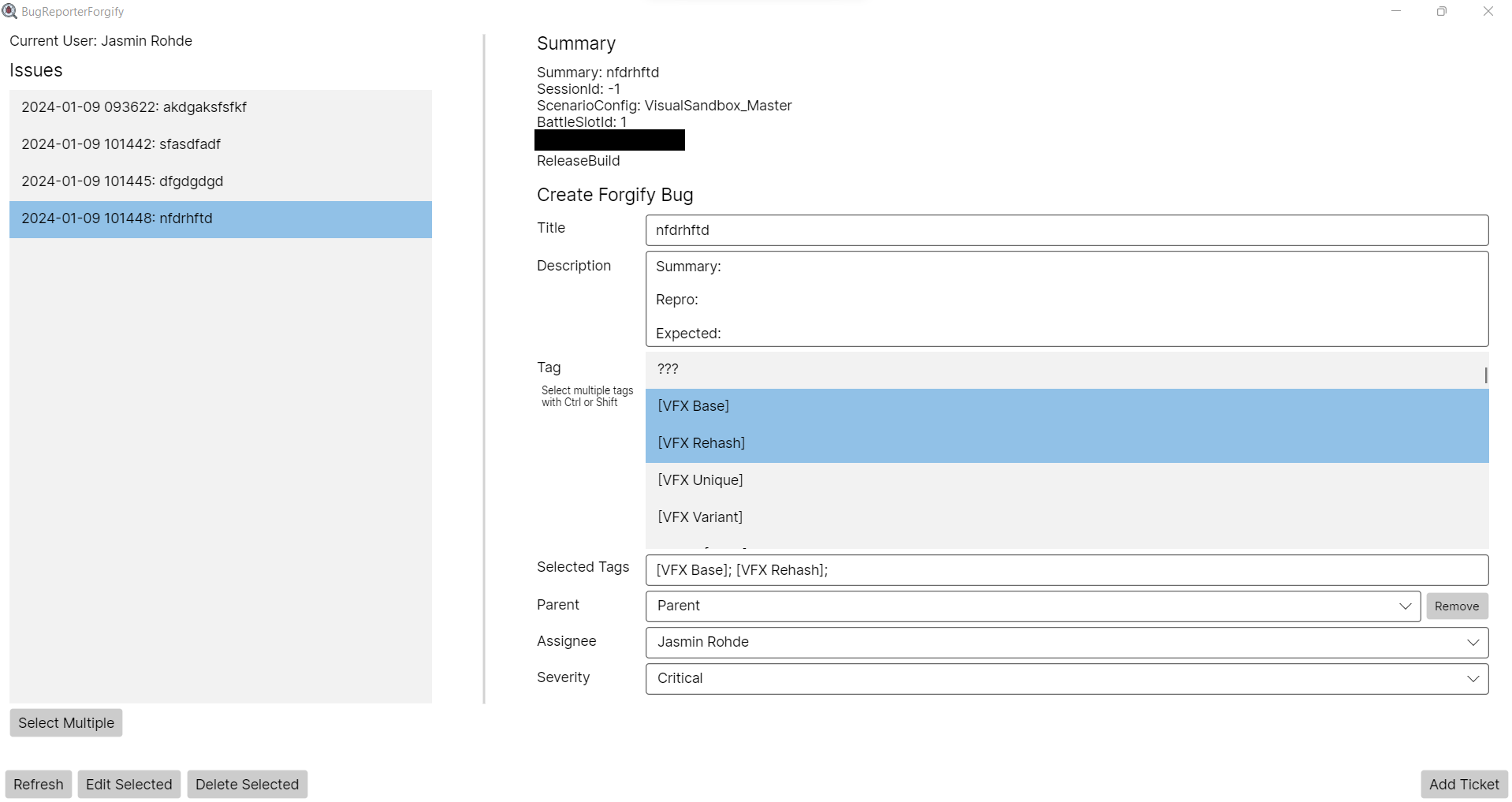
You can also adjust the layout of the window to make the editing and creation of the ticket easier.
NavMesh Visualization
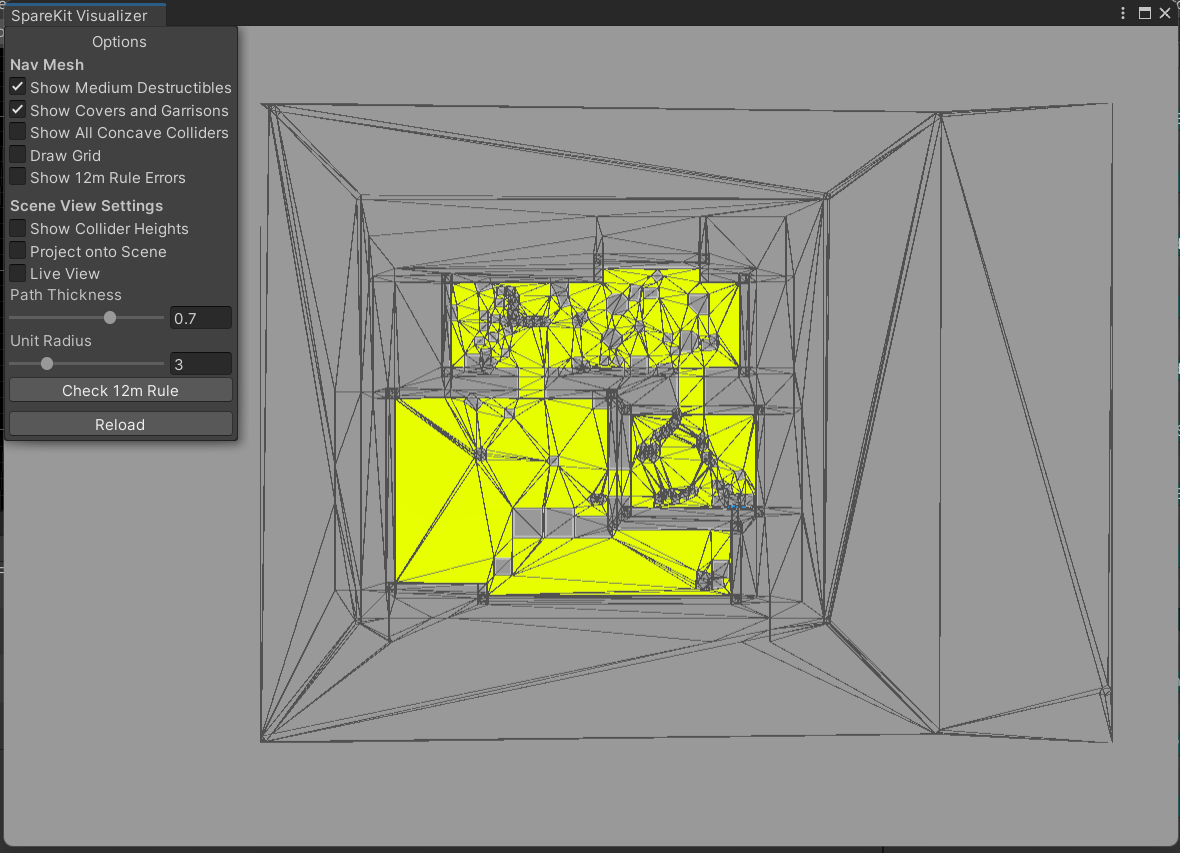
To find issues in the Navigation System we have created a visualization that represents the nav mesh with obstacles and borders that can be toggled on and off.
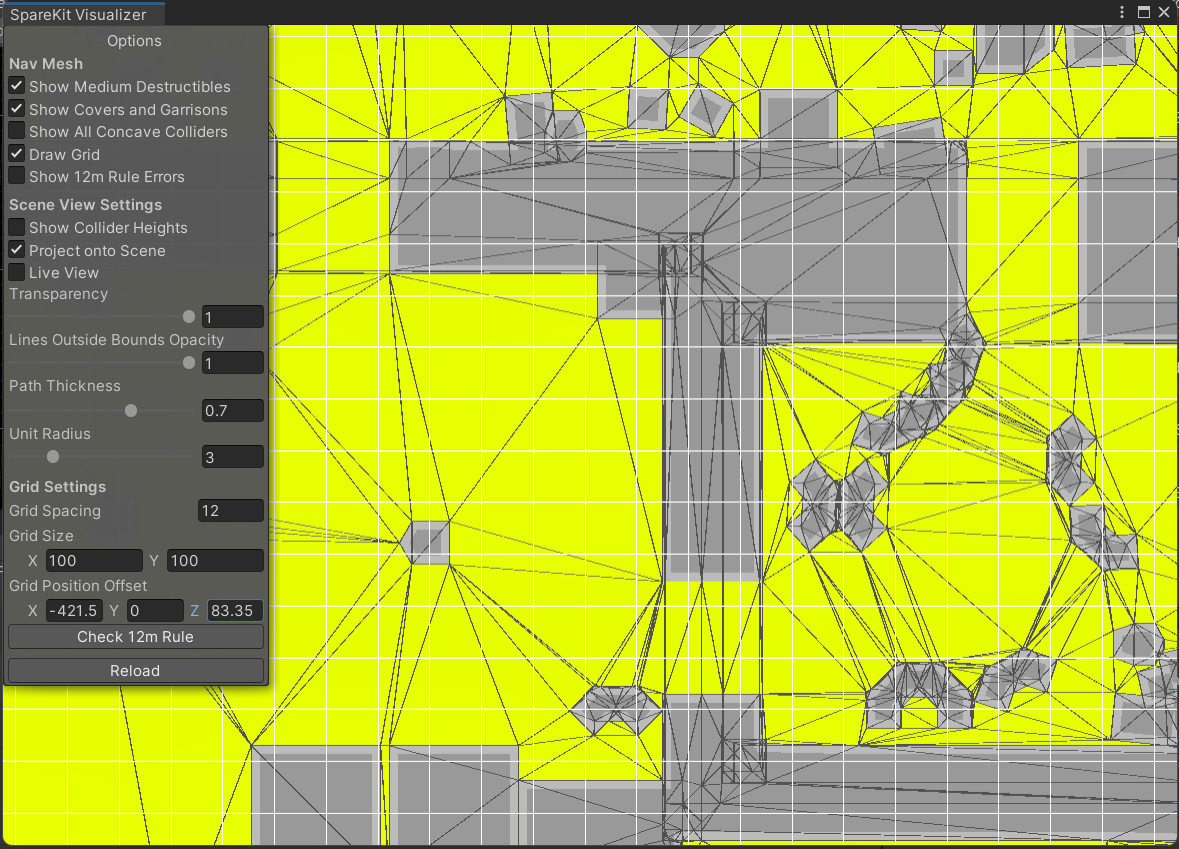
Depending on your selected options you will be presented with the relevant settings. E.g. a grid for measuring distances can be toggled on and then adjusted.
Primitive Collider Combining
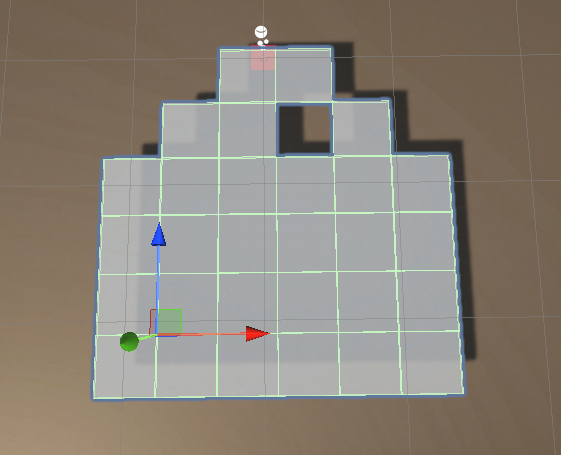
Unoptimized colliders, Collider Count: 29.
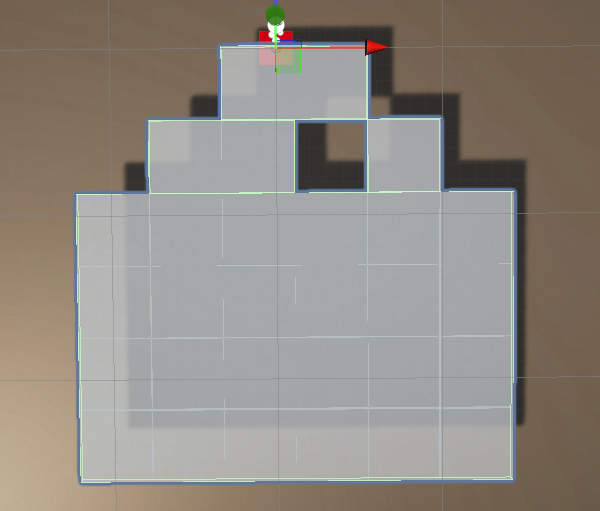
Colliders after merging, Collider Count: 4.
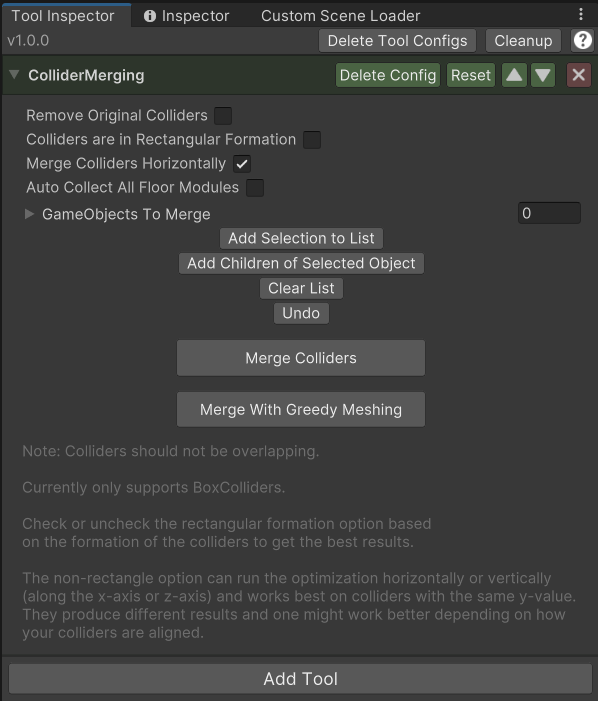
To improve performance and reduce the collider count, I implemented a tool that combines colliders until they are optimized.
Tool Inspector
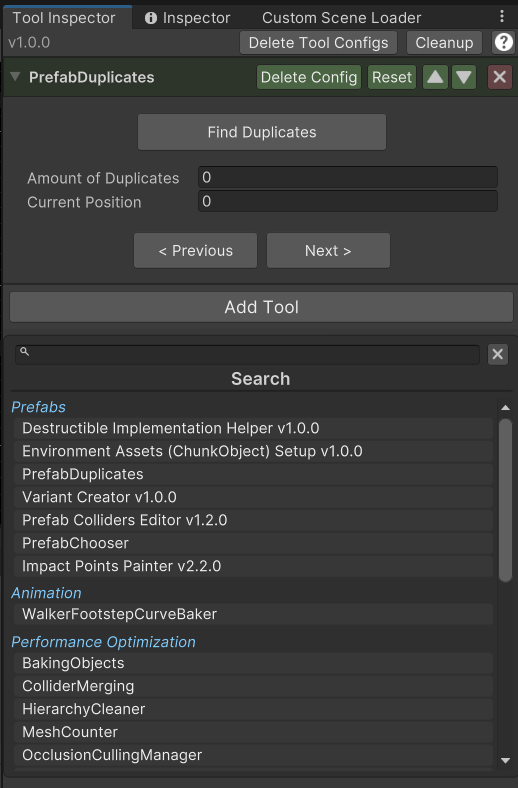
The Tool Inspector works similarly to the normal inspector for game objects. Instead of components you can add several tools to the inspector. This also allows tools to be collected and used in one place.
UI Improvements for Platform Manager
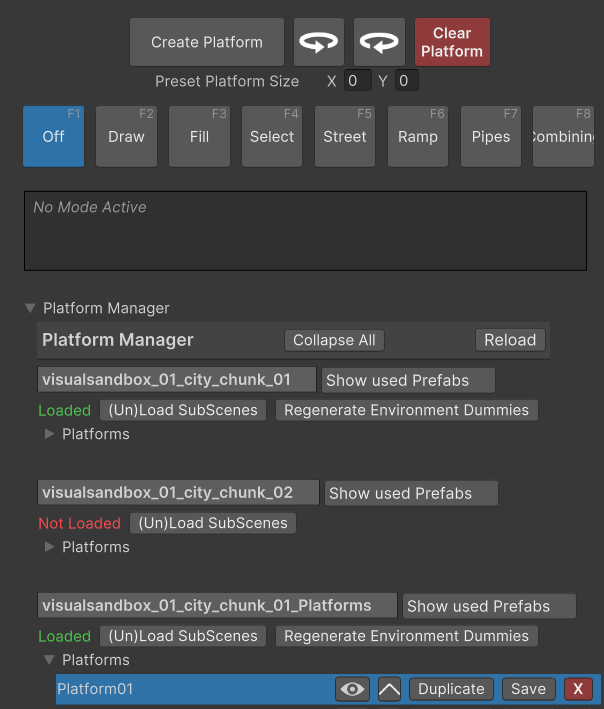
Previous version: confusing layout, too many buttons, lacks proper handling of sub scenes.
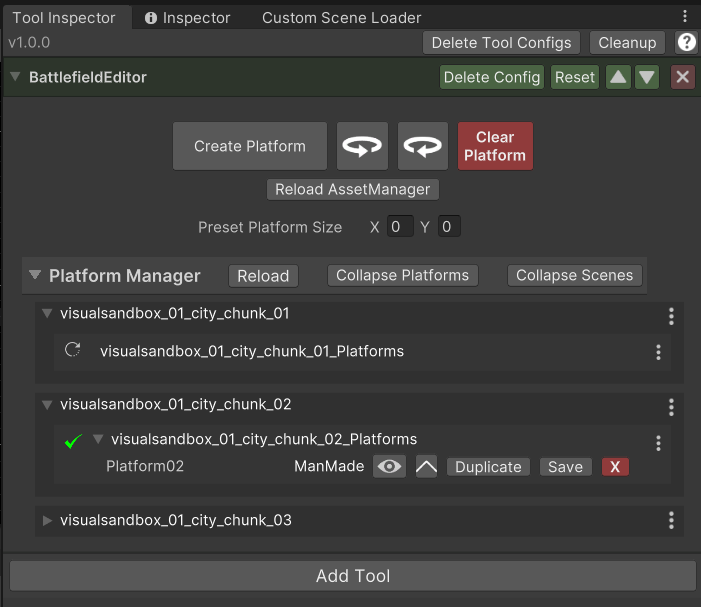
New improved Version: enhanced layout and coloring, options in dropdowns instead of buttons, sub scenes connected to the corresponding scene.